
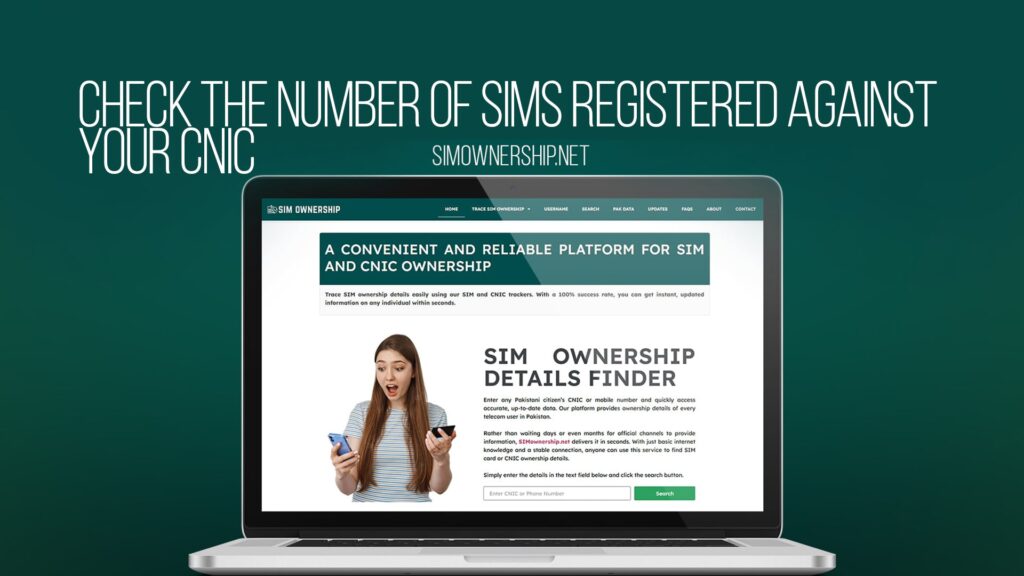
Mobile phones have become an essential part of our lives. Whether you are using one phone or multiple devices, it is crucial to know exactly how many SIM cards are registered against your identity in Pakistan. Many people are unaware that multiple SIM cards might be registered under their CNIC, which can pose security risks and lead to misuse of your personal information.
Understanding how many SIMs are registered in your name is not just about personal awareness. It is a matter of security, financial safety, and legal compliance. If you suspect unauthorized SIM registration under your CNIC, you need quick access to this information. This is where SIM Ownership comes into play as Pakistan’s leading platform for checking SIM and CNIC ownership details online.
In this comprehensive guide, we will walk you through everything you need to know about checking the number of SIMs registered against your CNIC. We will explain why this is important, how to check it, what tools are available, and how to protect yourself from SIM-related fraud and misuse.
Why Is It Important to Check SIMs Registered Against Your CNIC?
Before diving into the how-to, it is essential to understand why checking your SIM registrations matters. There are several compelling reasons why you should be aware of all the SIMs connected to your CNIC.
Security Concerns
Your CNIC number is a unique identifier in Pakistan. Every SIM card registered against it is linked to your personal identity. If someone fraudulently registers a SIM under your CNIC, they can use it for illegal activities, leaving you responsible. By regularly checking your SIM registrations, you can spot unauthorized registrations early and take action.
Financial Safety
SIM cards are often used for banking transactions, mobile money transfers, and online purchases. If an unknown person has a SIM registered under your CNIC, they might have access to sensitive financial information or could perform transactions on your behalf. This puts your financial security at serious risk.
Legal Compliance
In Pakistan, all SIM cards must be registered against a valid CNIC as per Pakistan Telecommunications Authority (PTA) regulations. Having unregistered or improperly registered SIMs can lead to legal issues. By knowing exactly which SIMs are registered in your name, you ensure compliance and avoid unnecessary legal trouble.
Identity Protection
Identity theft is a growing concern in Pakistan. Someone could misuse your CNIC to register multiple SIM cards and use them for scams, fraud, or other criminal activities. Regular checks help you protect your identity and maintain your reputation.
Early Detection of Fraud
By checking your SIM registrations regularly, you can detect fraudulent activities early. This allows you to take preventive measures before significant damage occurs. Early detection is always better than dealing with consequences after the fact.
Understanding CNIC and SIM Registration in Pakistan
To better understand how to check SIMs registered against your CNIC, you first need to understand how the registration system works in Pakistan.
What Is a CNIC?
A CNIC stands for Computerized National Identity Card. It is the primary identity document issued by the National Database and Registration Authority (NADRA) in Pakistan. Every Pakistani citizen is assigned a unique 13-digit CNIC number that serves as their identity across various government and private sectors.
PTA Regulations on SIM Registration
The Pakistan Telecommunications Authority (PTA) oversees all SIM card registrations in Pakistan. According to PTA regulations, every SIM card must be registered against a valid CNIC. The registration process requires personal identification and verification to ensure accountability and prevent misuse.
These regulations were implemented to combat fraud, terrorism, and other illegal activities. However, they also mean that your CNIC is connected to every SIM you register. Therefore, knowing how many SIMs are in your name is crucial.
Types of SIM Registration
There are different types of SIM registrations in Pakistan. Some might be temporary, some might be regular postpaid, and others might be prepaid. All of them are connected to your CNIC if they were registered in your name.
How to Check the Number of SIMs Registered Against Your CNIC
Now that you understand why it is important, let us discuss how to check your SIM registrations. There are several methods available in Pakistan.
Method 1: Using SIM Ownership Platform
SIM Ownership is Pakistan’s leading platform for checking SIM and CNIC ownership details online. It is a user-friendly tool that provides quick and accurate information about all SIMs registered against your CNIC.
To check your SIM registrations on SIM Ownership, follow these simple steps:
First, visit the SIM Ownership website. You will see a clean, easy-to-use interface designed for quick access to information. Look for the SIM checker tool or CNIC tracker option on the homepage.
Next, enter your CNIC number in the designated field. Make sure you enter your 13-digit CNIC without any spaces or dashes. Double-check the number to ensure accuracy.
Then, click the search or check button. The platform will process your request and search the database for all SIM cards registered against your CNIC number.
Wait for the results to load. SIM Ownership uses PTA-approved SIM tracker technology, so you get reliable and accurate information. Within seconds, you will see a complete list of all SIMs registered in your name.
Review the information carefully. You will be able to see details about each SIM, including the mobile number, network operator, and registration status. If you recognize all the SIMs listed, your account is secure. If you notice any unknown registrations, take immediate action.
The advantage of using SIM Ownership is that it is simple, fast, and does not require any technical knowledge. The platform is designed to be accessible to everyone in Pakistan.
Method 2: Contacting Your Network Operator
You can also contact your mobile network operator directly to inquire about SIM registrations. Call customer service from your registered number and ask for information about all SIMs registered under your CNIC.
However, this method can be time-consuming as you need to contact each operator separately if you use multiple networks. Additionally, operators might require you to provide additional verification information.
Method 3: Visiting a PTA Office
You can visit the nearest Pakistan Telecommunications Authority office in person and request information about your SIM registrations. Bring your original CNIC and any other required documents.
This method is reliable but requires time and travel. It is best used if you have serious concerns about unauthorized registrations.
Method 4: Online FIR Registration
If you suspect fraudulent SIM registrations under your CNIC, you can file an online First Information Report (FIR) with Pakistan’s Federal Investigation Agency (FIA). This is a more serious step taken when you believe your CNIC has been misused.
Understanding Your SIM Ownership Results
When you check your SIM registrations through SIM Ownership or other methods, you will receive detailed information. Here is what each piece of information means.
Mobile Number
This is the phone number associated with the SIM card. It typically starts with the country code +92 for Pakistan, followed by the network operator code and individual number.
Network Operator
This shows which telecom company issued the SIM card. Common operators in Pakistan include Jazz, Zong, Telenor, and Ufone.
SIM Status
The status indicates whether the SIM is active, suspended, or deactivated. An active SIM means it is currently in use. A suspended SIM might indicate issues or pending verification.
Registration Date
This shows when the SIM was officially registered against your CNIC. This date is important for tracking the timeline of registrations.
SIM Type
The information will show whether it is a prepaid or postpaid SIM. Prepaid SIMs are pay-as-you-go, while postpaid requires a monthly bill.
What to Do If You Find Unauthorized SIM Registrations
If you discover SIM cards registered under your CNIC that you do not recognize or did not register yourself, take immediate action.
Step 1: Stay Calm and Gather Information
First, gather all the information about the unauthorized SIM registrations. Note down the mobile numbers, operators, registration dates, and any other details available. Do not panic, but act promptly.
Step 2: Contact the Network Operator
Immediately contact the network operator of the unauthorized SIM. Call their customer service and report the fraudulent registration. Request them to suspend or deactivate the SIM immediately.
Provide them with your CNIC and explain that you did not authorize this registration. Most operators have fraud departments that can handle such cases quickly.
Step 3: Check Your Banking Activity
If the unauthorized SIM was registered for a significant period, check your banking and financial activity. Look for any suspicious transactions or unauthorized access attempts.
Step 4: File a Complaint with PTA
Contact the Pakistan Telecommunications Authority and file a formal complaint about the unauthorized SIM registration. Provide all the details and evidence you have gathered.
Step 5: File an FIR with FIA
If you believe your identity has been stolen or your CNIC has been misused, file an online FIR with Pakistan’s Federal Investigation Agency. This creates an official record of the incident.
Step 6: Monitor Your CNIC
Keep a regular eye on your CNIC by checking it periodically through SIM Ownership. This helps you catch any future unauthorized registrations quickly.
Tips to Protect Yourself from SIM-Related Fraud
Prevention is always better than cure. Here are practical tips to protect yourself from SIM-related fraud and unauthorized registrations.
Keep Your CNIC Information Secure
Do not share your CNIC number with anyone unless absolutely necessary. Do not provide it to unknown callers or unverified websites. Treat your CNIC like you would treat your passport.
Use Only Authorized Retailers
When buying a new SIM card, purchase it only from authorized retailers of the telecom operator. Avoid buying SIM cards from unauthorized vendors who might not follow proper registration procedures.
Verify Your Registration
When you register a new SIM, verify that it has been registered correctly against your CNIC. Check the details provided at the time of registration.
Monitor Your Account Regularly
Check your SIM registrations regularly using SIM Ownership. Regular monitoring helps you spot issues early before they escalate.
Set a Strong PIN
If your mobile network allows, set a strong PIN for your account. This prevents unauthorized changes to your SIM registration.
Avoid Sharing Personal Information
Be cautious about sharing personal information in public places or with unknown individuals. Information like your CNIC, phone number, or address should be kept confidential.
Use Secure Passwords
If you access your mobile operator’s online portal or any related services, use strong, unique passwords. Change your passwords regularly.
Enable Two-Factor Authentication
Wherever possible, enable two-factor authentication on your accounts. This adds an extra layer of security.
The Role of SIM Ownership in Pakistan
SIM Ownership has emerged as Pakistan’s leading platform for checking SIM and CNIC ownership details online. The platform plays a crucial role in helping Pakistani citizens understand and monitor their SIM registrations.
Advanced PTA-Approved Technology
SIM Ownership uses advanced technology that is approved by the Pakistan Telecommunications Authority. This means the information you receive is accurate, reliable, and up to date. The platform integrates with official databases to ensure you get the most current information.
User-Friendly Interface
The platform is designed with simplicity in mind. You do not need any technical expertise to use it. The interface is intuitive, and the process is straightforward, making it accessible to everyone in Pakistan.
Quick Results
SIM Ownership provides instant results. Once you enter your CNIC number, the platform searches the database and returns comprehensive information within seconds.
Privacy and Security
Your personal information is protected on the SIM Ownership platform. The website uses secure connections and follows data protection protocols to ensure your privacy.
Customer Support
If you have any questions or encounter issues while using the platform, you can contact customer support. The team is knowledgeable and ready to assist you.
Common Mistakes to Avoid
When checking your SIM registrations, avoid these common mistakes that many people make.
Using Unverified Sources
Do not rely on unofficial websites or unverified sources to check your SIM details. Always use trusted platforms like SIM Ownership that are recognized in Pakistan.
Ignoring Regular Checks
Many people check their SIM registrations once and then forget about it. Make it a habit to check regularly, at least once every three months.
Not Taking Action on Suspicious Registrations
If you find an unauthorized SIM registration, do not delay taking action. Contact your network operator immediately.
Sharing Your Results Publicly
Do not share screenshots or information about your SIM registrations on social media. This information can be exploited by malicious actors.
Assuming All Old SIMs Are Your Own
If you have changed phones or network operators multiple times, you might have forgotten about some old SIM registrations. Do not assume that only currently active SIMs are registered in your name.
The Legal Framework Behind SIM Registration
Understanding the legal framework helps you appreciate why checking your SIM registrations is important in Pakistan.
PTA’s Registration Requirements
The Pakistan Telecommunications Authority mandates that every SIM card must be registered against a valid CNIC. This requirement applies to all prepaid and postpaid SIMs.
NADRA’s Role
The National Database and Registration Authority maintains the database of CNIC information. Telecom operators cross-check this database during SIM registration to ensure accuracy.
Anti-Terrorism Measures
These registration requirements are part of Pakistan’s anti-terrorism and anti-crime measures. They help law enforcement agencies track the use of mobile phones in criminal activities.
Consumer Protection
The regulations also protect consumers by ensuring that every SIM can be traced back to a registered individual. This reduces fraud and scams related to anonymous SIM cards.
Your Rights
As a Pakistani citizen, you have the right to know which SIM cards are registered against your CNIC. You also have the right to contest unauthorized registrations and take legal action.
It is recommended to check your SIM registrations at least once every three months. However, if you suspect any fraudulent activity or have shared your CNIC information with someone, you should check more frequently. Regular monitoring helps you catch unauthorized registrations early and protects your identity.
No, using SIM Ownership to check your SIM and CNIC registrations is completely free. There are no hidden charges or subscription fees. The platform is designed to make this information accessible to all Pakistani citizens at no cost.
Unfortunately, yes. This can happen if someone has access to your CNIC information or duplicates your CNIC. However, registering a SIM requires physical presence at an authorized retail point in most cases, making unauthorized registrations less common. Still, it is possible in cases of identity theft or corrupt practices at retail points.
If you are unable to access the SIM Ownership website from your mobile device, try accessing it from a computer or laptop. You can also try using a different browser or clearing your browser cache. If problems persist, contact the customer support team for assistance.
SIM Ownership uses PTA-approved SIM tracker technology that connects to official databases. The information provided is as accurate as the data in the official PTA records. However, there might be a slight delay of a few hours to a day for newly registered SIMs to appear in the system due to database synchronization time.
Conclusion
Checking the number of SIMs registered against your CNIC is a simple yet crucial step in protecting your identity and financial security in Pakistan. In an era where digital fraud and identity theft are increasing, being aware of all SIM cards connected to your CNIC is essential.
SIM Ownership makes this process easy and accessible. By using Pakistan’s leading platform for checking SIM and CNIC ownership details, you can quickly verify all registrations, identify any unauthorized SIMs, and take appropriate action.
Remember, regular monitoring is key. Make it a habit to check your SIM registrations periodically. Stay informed, stay secure, and protect your identity. If you have any concerns about unauthorized SIM registrations, do not hesitate to take action. Your security is worth the effort.
Start using SIM Ownership today to take control of your SIM and CNIC information. Your peace of mind is just a few clicks away.