
There is a specific frustration that almost every Pakistani mobile user has experienced. A number calls you, you do not recognize it, and now you are wondering — whose name is this SIM registered to? Is it someone you know under a different number? Is it a scam? Is it worth calling back?
Finding the name of a SIM owner in Pakistan is one of the most searched topics on Pakistani internet queries — and for good reason. Whether you are trying to verify an unknown caller, confirm a business contact’s identity, or protect yourself from phone-based fraud, knowing who a number belongs to is genuinely useful.
This guide walks through every practical method for checking SIM owner details in Pakistan, with a specific focus on how to find or confirm the name of the owner. You will learn which tools are free, which require formal steps, and how DB Center fits into the picture as a reverse phone lookup service covering over 150 million numbers.
The Difference Between Checking a SIM and Finding the Owner’s Name
Before getting into the methods, it is worth being clear about something that trips up a lot of people.
Checking that a SIM exists and is registered is relatively straightforward. Finding the specific name of the person registered to that SIM is a different thing, and the distinction matters in terms of which tools can help you.
Pakistan’s SIM registration system is government-managed. Every SIM is tied to a CNIC through NADRA’s biometric database, which means the name of the registered owner does exist in a system — it is just not openly published for anyone to access on demand. This protects citizens from having their personal details exposed to anyone who types their number into a portal.
What is available publicly, through legitimate tools, falls into a few categories: confirmation that a number is active and registered, the general location or network associated with it, and — through reverse phone lookup services like DB Center — publicly available identity information tied to that number.
Understanding this distinction saves you time and keeps your expectations realistic as you work through the methods below.
Why People Want to Know the Name Behind a SIM
The reasons vary, but they come up constantly in everyday Pakistani life:
Online transactions. You found a seller on OLX, Facebook Marketplace, or a WhatsApp group. They want payment upfront. Their only contact detail is a mobile number. Knowing whose name that SIM is registered to before you transfer anything is basic self-protection.
Unknown persistent callers. When a number calls repeatedly without leaving a message, the urge to know the person’s name is natural. You want to know whether to answer, ignore, or report.
Workplace and professional verification. Job applications, freelance contracts, and business partnerships increasingly involve checking whether a contact’s phone number and stated identity are consistent with each other.
Protecting elderly family members. Scam callers in Pakistan frequently target older adults with stories about family emergencies, tax debts, or court summons. Families often want to identify numbers contacting elderly relatives before those conversations go any further.
Reporting harassment. When someone is harassing you by phone, knowing their name before approaching the police or filing a formal complaint gives you a stronger starting point.
SIM misuse under your own identity. Someone may have registered a SIM using your CNIC. You want to check not just whether a number exists, but who claims ownership of it in the system.
Each of these situations is legitimate, and each has at least one tool specifically suited to addressing it.
Method 1: PTA’s 668 SMS — Check SIMs Registered to Your CNIC
Start here. This is the fastest, simplest, and most widely available free method in Pakistan.
Send your CNIC number without dashes to 668 via SMS. PTA will reply with a list of all SIM cards registered under your national identity card. The reply includes the name of the network and the registered number for each SIM.
This does not look up someone else’s name for you. What it does is confirm all the numbers officially tied to your own identity — and flag any that you did not register yourself.
Why does this matter when you are trying to find the name behind someone else’s SIM? Because it anchors the entire verification system. If a number appears in your 668 reply that you did not register, someone is using your identity. If a number you are investigating appears to be connected to a CNIC through an operator you can then contact, you have a starting point for further verification.
The service costs a standard SMS fee and replies within seconds. It works 24 hours a day across Jazz, Telenor, Zong, Ufone, and SCO.
Method 2: NADRA Verisys — Confirm the Name Behind a CNIC
NADRA’s Verisys portal at verisys.nadra.gov.pk is the official government identity verification system. Its primary purpose is to confirm that a CNIC number is genuine and to return the registered name and date of birth associated with it.
This becomes directly useful for name checking when you already have two pieces of information about someone: their phone number and their CNIC number. In a business transaction, rental agreement, or employment process, both are often provided by the other party. Verisys lets you cross-check whether the name on the CNIC matches the name the person has given you, and whether the CNIC itself is valid.
If the name on Verisys matches what the person told you, you have one meaningful layer of identity confirmation. If it does not match — if the CNIC comes back with a completely different name, or does not come back at all — that is a serious red flag.
Verisys is free for basic individual checks and available to the public. Businesses that need high-volume access can apply for API integration through NADRA’s official commercial channels.
Method 3: DB Center Reverse Phone Lookup
When you have a phone number and nothing else — no CNIC, no name provided, no context — DB Center is one of the most practical tools available.
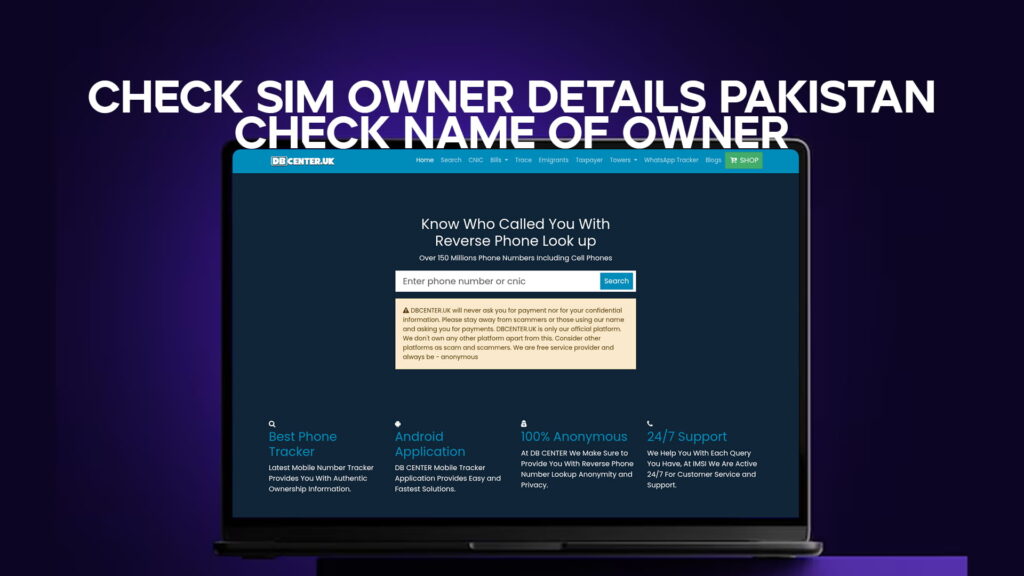
DB Center is a reverse phone lookup service with a database of over 150 million phone numbers, including mobile numbers. You enter the number, and the system searches publicly available records to return information associated with it. This can include the name linked to the number, the general area, and the carrier.
For someone wanting to check the name of a SIM owner in Pakistan, this is the most accessible route when official government tools do not apply. The 668 SMS and Verisys portal require you to already be a party to the transaction in some way — either checking your own records or cross-referencing details someone gave you. DB Center works purely from the number itself.
This is exactly what most people are looking for when they type “check SIM owner name Pakistan” into a search engine. They have one thing: a phone number. They want one thing: a name.
DB Center covers this use case directly. It searches its database and returns what is publicly available. For many numbers — particularly those linked to businesses, frequently reported numbers, or numbers that appear in public records — results include identifying information. For less prominent numbers, you may get carrier and region data, which is still useful context.
Several specific situations where this matters most in Pakistan:
You get a call from someone claiming to be a representative of a company or organization. Before engaging, you check the number on DB Center. If the name that comes back matches the organization they claimed, that is a green flag. If it returns something completely unrelated, or nothing at all, that warrants caution.
You are about to pay a seller who gave you only their number. Running it through DB Center before transferring money takes less than a minute and gives you one more data point on who you are dealing with.
You have been receiving messages from a number you do not recognize. A reverse lookup can give you a name, and that name alone may be enough to figure out who it is.
DB Center functions best as part of a layered approach. Combine it with Verisys for CNIC cross-checking and PTA’s tools for formal reporting, and you have a comprehensive picture.
Method 4: Contacting the Network Operator Directly
If a specific number is associated with harassment, fraud, or other serious concerns, contacting the telecom operator on whose network the number runs is a legitimate step.
Each major operator in Pakistan has a customer service and complaints channel:
Jazz helpline is reachable at 111 from a Jazz line or 0300-1111111 from any number. Telenor’s support line is 345 from Telenor or 0345-7000345 from others. Zong can be reached at 310 from a Zong SIM. Ufone’s helpline is 333 from Ufone or 0333-1111333 from any number. SCO operates through regional offices and district-level service centers.
The operator will not give you a stranger’s registered name directly — data protection policies apply here. What they will do is accept formal harassment or fraud complaints, flag the number internally, and in verified cases work with PTA to take enforcement action.
If you are reporting a number for repeated harassment and you have a log of the calls or messages, operators take these reports more seriously than anonymous or undocumented complaints. Timestamps, message content, and frequency all strengthen your case.
For numbers that have been used in financial fraud — particularly SIM-swap attempts or calls impersonating bank staff — operator fraud teams have escalation paths that move faster than standard consumer complaints.
Method 5: FIA Cybercrime Wing for Serious Cases
When a phone number is connected to fraud, extortion, blackmail, or threats, and you need the registered owner’s name for legal purposes, the Federal Investigation Agency’s Cybercrime Wing is the appropriate authority.
FIA’s National Cyber Crime Reporting Portal at nr3c.gov.pk allows you to file formal complaints about digital crimes including phone-based fraud. Once a complaint is filed and accepted, FIA has the authority to formally request full registration details from NADRA and the relevant telecom operator.
This is how the registered name of a SIM owner becomes legally accessible in Pakistan: through an authorized law enforcement investigation with proper jurisdiction. FIA exercises this authority routinely in fraud and extortion cases.
For everyday unknown caller situations, this level of escalation is usually unnecessary. But for serious cases where you need the owner’s name on the record — for a court case, police complaint, or restraining order — FIA is the route.
How to Identify a Fraudulent Caller Before They Cause Damage
The fastest way to protect yourself from phone fraud in Pakistan is not to track the caller down after the fact — it is to identify the warning signs before you engage.
Every major phone scam in Pakistan follows at least one of these patterns:
Impersonation of authority. The caller claims to be from NADRA, a bank, the Federal Board of Revenue, or law enforcement. They say your account has been compromised, your CNIC is being flagged, or a warrant has been issued. The message is always designed to create fear.
Manufactured urgency. They want you to act immediately. Verify your details now. Transfer money now. Share your OTP now. Urgency bypasses rational thinking — that is the point.
Request for sensitive information. A legitimate NADRA office, bank, or government department will never call you and ask for your OTP, PIN, full CNIC number, or password. If someone is asking for these over an unsolicited call, the call is a scam.
When any of these patterns appear, your first move should be to end the call and run the number through DB Center before calling back or responding. If the result shows the number linked to something entirely different from what the caller claimed, you have confirmed it is a scam. If PTA has recorded complaints against it, that is further confirmation.
Steps to Take When You Find Unauthorized Use of Your SIM Identity
If the PTA 668 check reveals a number you did not register, act on this in order:
One. Write down the unauthorized number and the network name from the PTA reply.
Two. Call PTA’s helpline at 0800-55055 and report unauthorized SIM registration. They will log the complaint and initiate a review.
Three. Contact the relevant network operator using the helpline numbers above. Ask for emergency deregistration of the unauthorized SIM. Explain that the registration was made without your knowledge or consent.
Four. Visit a NADRA office with your original CNIC and request that the unauthorized use be noted in your identity file. Ask for a written acknowledgment if possible.
Five. If you have any reason to believe the SIM has been used to intercept bank messages or OTPs — for example, if you have received alerts about transactions you did not make — call your bank’s fraud line immediately and place a temporary hold on your account while the investigation proceeds.
Speed matters here significantly. The longer an unauthorized SIM remains active under your identity, the wider the window for it to be used against you.
Staying Safe: Practical Habits for Every Pakistani Mobile User
Protecting your SIM identity and your own personal safety around phone numbers does not require technical skills. It just requires a few consistent habits:
Run a PTA 668 SIM check at least twice a year. It takes thirty seconds and can catch unauthorized registrations before they become problems.
Never share your OTP, PIN, CNIC number, or banking password over the phone with anyone, no matter how convincing the caller sounds. No legitimate institution will ask for these.
Before responding to an unknown number that contacts you with urgency, run it through DB Center first. A thirty-second check is worth the pause.
When giving photocopies of your CNIC for any purpose, write the specific use and date on the copy in pen. This limits the ability to reuse the copy for unintended purposes.
Report persistently harassing or suspicious numbers to PTA via their complaint portal. Your report adds to the aggregate data that helps identify scam operations targeting multiple people.
Not through any single, publicly available portal. NADRA and PTA hold full registration data including names, but this is not released to the general public for privacy reasons. Through DB Center’s reverse phone lookup, publicly available name information associated with a number may be returned. For formal identification of a name for legal purposes — such as a harassment or fraud case — FIA’s Cybercrime Wing can access full registration details through proper legal channels.
Yes, DB Center is a legitimate reverse phone lookup service with a database of over 150 million phone numbers, including mobile numbers. It returns publicly available information associated with a given number. The accuracy and depth of results vary by number — business numbers and frequently reported numbers tend to return more complete information. It is best used as a fast first-line check before deciding how to respond to an unknown number.
When you send your CNIC number (without dashes) to 668, PTA replies with a list of all SIM cards currently registered under that CNIC. The reply includes the network name and the registered phone number for each SIM. It does not return the names of other SIM owners — it shows your own registrations. This is useful for detecting unauthorized SIMs registered in your name.
Through legitimate public tools, someone with your phone number can find information that is already publicly associated with it — such as if you have listed a number on a business directory, public profile, or website. They cannot access your CNIC registration data through any public channel. DB Center returns only publicly available information, not protected government database records.
DB Center’s reverse phone lookup is the fastest free option when you only have a number and nothing else. Enter the number and it returns whatever publicly available information is linked to it, often within seconds. For your own SIM registrations, PTA’s 668 SMS service is similarly fast and reliable. For identity cross-checking when you have both a phone number and a CNIC from someone you are dealing with, NADRA’s Verisys portal completes the picture.
Final Thoughts
Checking SIM owner details in Pakistan — and specifically finding the name behind a number — is not a single-step process, but it is far from impossible. The tools available range from free government SMS services to official identity verification portals to reverse phone lookup services like DB Center with its database of over 150 million numbers.
The most practical approach is layered. PTA’s 668 service handles your own registrations. NADRA Verisys handles CNIC identity cross-checking when you already have someone’s ID number. DB Center handles the everyday unknown number situation where you have nothing but the number itself and want a name or at least some context.
None of these tools will hand you a stranger’s complete personal profile — and that is the right line to hold. But within what they offer, they are genuinely useful, mostly free, and accessible to anyone with a phone and an internet connection in Pakistan.
The next time an unknown number contacts you, you have options. Use them.