
Your CNIC (Computerized National Identity Card) is the most important identification document in Pakistan. Issued by NADRA (National Database and Registration Authority), it contains your personal details including your name, photograph, date of birth, and a unique 13-digit identification number. This number is used for almost everything in Pakistan, from opening bank accounts to buying property, and most importantly, for registering SIM cards.
In Pakistan, every SIM card must be registered against a valid CNIC number. This rule was implemented by the Pakistan Telecommunication Authority (PTA) to improve national security and reduce criminal activities. When you buy a SIM card from any telecom company, your fingerprint is verified through the NADRA database to confirm your identity. Only after successful verification is the SIM card activated.
However, a serious problem has emerged over the years. Many people have discovered that SIM cards have been registered on their CNIC without their knowledge or permission. This unauthorized registration can lead to serious consequences, including being wrongly accused of crimes committed using those SIM cards. This is why it is essential for every Pakistani citizen to regularly check which SIM cards are registered on their CNIC.
In this comprehensive article, we will explain everything about CNIC based SIM information lookup, how you can use IMSI Data to check SIM cards registered on your CNIC, and why this practice should become a regular habit for everyone.
Understanding the Connection Between CNIC and SIM Cards
The connection between CNIC and SIM cards in Pakistan is a critical part of the country’s telecommunications system. Every active SIM card in Pakistan is linked to a specific CNIC number. This link was created for several important reasons that affect both individual citizens and the country as a whole.
The primary reason for linking SIMs to CNICs is security. Before this system was implemented, anyone could buy a SIM card without any identification. Criminals took advantage of this to obtain SIM cards for illegal activities, including terrorism, fraud, and harassment. By requiring CNIC verification, the government ensured that every SIM card can be traced back to a real person.
The biometric verification system was introduced as an additional security measure. When you buy a SIM card, your fingerprint is scanned and verified against the NADRA database. This ensures that the person buying the SIM is actually the CNIC holder and not someone using a stolen or fake CNIC. This system has significantly reduced fraudulent SIM registrations, though some loopholes still exist.
Each CNIC holder is allowed to register a limited number of SIM cards. This limit varies by telecom company but generally ranges from a total of around 15 to 20 SIMs across all networks combined. This limit prevents any single person from hoarding a large number of SIM cards, which could be misused for spam, fraud, or other illegal purposes.
Understanding this connection is important because it means that you are legally responsible for all SIM cards registered on your CNIC. If any of those SIMs are used for criminal activities, the authorities will first look at the CNIC holder as a suspect. This makes it extremely important to know exactly which SIMs are registered on your CNIC at all times.
How to Check SIM Cards Registered on Your CNIC
There are several ways to check which SIM cards are registered on your CNIC in Pakistan. Each method has its own advantages and limitations. Let us explore the most common methods.
Method 1: Using IMSI Data (Recommended)
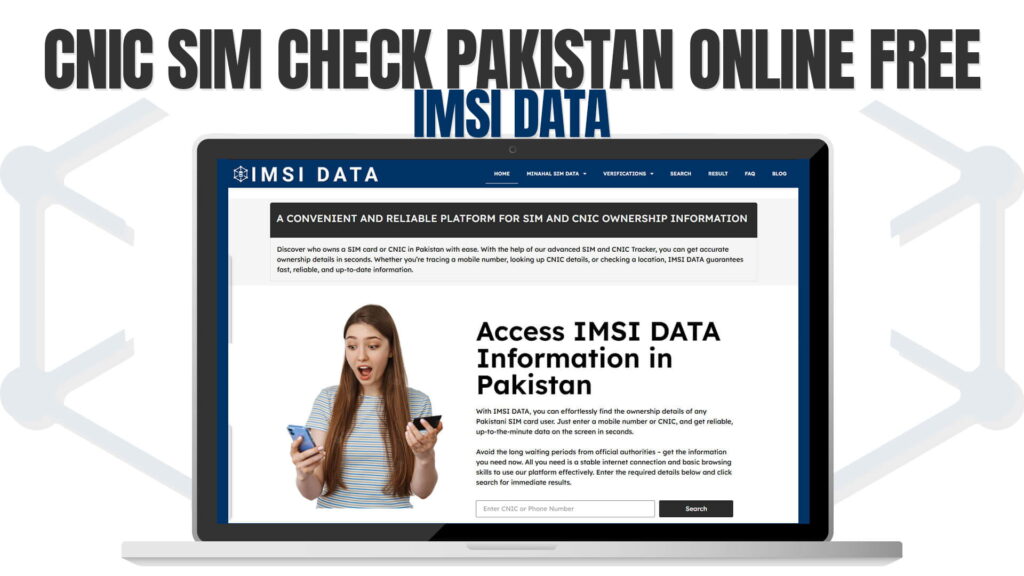
The easiest and most comprehensive way to check SIM cards on your CNIC is through IMSI Data. This online platform allows you to enter your CNIC number and get detailed information about all SIM cards registered against it. The results include the phone numbers, the telecom network each SIM belongs to, and the registration status of each SIM.
The process is simple. Visit the IMSI Data search page, enter your 13-digit CNIC number in the search field, and click search. Within seconds, you will see a complete list of all SIM cards linked to your CNIC. This method is fast, free, and does not require you to visit any office or make phone calls.
Method 2: SMS to 668
PTA offers a service where you can send your CNIC number as an SMS to 668 from any phone. You will receive a reply showing the number of SIM cards registered on your CNIC from each telecom operator. While this method is convenient, it only shows the count of SIMs, not the actual phone numbers or detailed ownership information.
Method 3: Visiting Telecom Franchises
You can visit the franchise of any telecom operator and request information about SIMs registered on your CNIC with that particular operator. However, this method is time-consuming because you would need to visit each operator separately, and the staff may require additional documentation before sharing the information.
Method 4: PTA Website
The PTA website also provides a facility to check SIM registration. You can visit their official website and use their CNIC verification tool. However, the process can sometimes be slow due to heavy traffic on the website, and the information provided may not be as detailed as what IMSI Data offers.
Among all these methods, IMSI Data stands out as the most convenient option because it provides detailed information, works instantly, is accessible from any device, and does not require you to leave your home. This is why we recommend using IMSI Data as your primary tool for CNIC based SIM checks.
What to Do If You Find Unauthorized SIMs on Your CNIC
If your CNIC check reveals SIM cards that you did not register, you should take immediate action to protect yourself. Unauthorized SIMs on your CNIC are not just an inconvenience. They can lead to serious legal and financial problems. Here is a detailed guide on what steps to take.
Step 1: Document Everything. Before taking any action, save the results of your CNIC check. Take screenshots or print the list of SIM cards from IMSI Data. This documentation will serve as evidence when you report the issue to the authorities.
Step 2: Contact the Telecom Operator. Contact the telecom company that issued the unauthorized SIM. You can call their helpline or visit their nearest franchise. Inform them that SIM cards have been registered on your CNIC without your consent and request immediate deactivation of those SIMs.
Step 3: File a Complaint with PTA. File a formal complaint with the Pakistan Telecommunication Authority. You can do this through the PTA website, by calling their helpline, or by visiting their office. Provide them with your CNIC number, the unauthorized phone numbers, and any documentation you have.
Step 4: Visit NADRA. If you suspect that your CNIC has been compromised or your biometric data has been misused, visit your nearest NADRA office. They can help you investigate the issue and update your biometric records if necessary.
Step 5: File a Police Report. In cases where you believe the unauthorized SIMs may be used for criminal activities, file a police report. Having a police report on record protects you from being held responsible for any illegal activities conducted through those SIM cards.
Step 6: Follow Up Regularly. After filing complaints, follow up regularly with all the relevant agencies. Check your CNIC on IMSI Data periodically to ensure that the unauthorized SIMs have been deactivated and no new unauthorized SIMs have been registered.
Why Unauthorized SIMs on Your CNIC Are Dangerous
Many people do not take unauthorized SIM registrations seriously. They think it is just a minor issue that does not affect them. However, unauthorized SIMs on your CNIC can lead to very serious consequences that can disrupt your life significantly.
Legal Liability: The most serious risk is legal liability. If someone uses a SIM registered on your CNIC to commit a crime, make threatening calls, or engage in fraud, the police will trace the SIM back to your CNIC. You could be arrested, questioned, or even charged with crimes you did not commit. Proving your innocence can be a long and stressful process.
Financial Fraud: Unauthorized SIMs can be used to commit financial fraud. Criminals can use the SIM to register for mobile banking services, receive OTPs (One Time Passwords) for bank transactions, or even take loans in your name. The financial damage can be enormous and difficult to reverse.
Harassment and Stalking: Unauthorized SIMs registered on your CNIC could be used for harassment purposes. If someone uses the SIM to harass others, the victims may file complaints against you as the registered owner. This can lead to social embarrassment and legal complications.
Exceeding SIM Limit: If unauthorized SIMs have consumed your allowed SIM quota, you may not be able to register new SIM cards when you actually need them. This can be very inconvenient, especially when you need a new SIM for work or personal use.
Terrorism Links: In extreme cases, unauthorized SIMs could be used for activities related to terrorism. If a SIM registered on your CNIC is found to be linked with terrorist communications, you could face severe legal consequences including arrest and investigation by intelligence agencies.
How Do Unauthorized SIMs Get Registered on Your CNIC?
Understanding how unauthorized SIMs get registered on your CNIC helps you take preventive measures. There are several ways this can happen, and being aware of these methods can help you protect yourself.
Corrupt Telecom Employees: Some employees at telecom franchises misuse their access to the registration system. They use biometric data from previous transactions to register SIM cards on customers’ CNICs without their knowledge. This is one of the most common methods of unauthorized SIM registration.
Unauthorized Dealers: Unauthorized SIM dealers sometimes use stolen or copied CNICs to register SIM cards. They may have obtained copies of CNICs through various means, including photographing CNICs submitted for other purposes or buying stolen CNIC data from the black market.
Biometric System Vulnerabilities: While the biometric verification system is generally secure, there have been cases where it was bypassed using fake fingerprints or through system glitches. Criminals use silicone molds of fingerprints or exploit software vulnerabilities to register SIMs without the actual CNIC holder being present.
Negligent CNIC Sharing: Many Pakistanis share copies of their CNIC freely for various purposes, such as applying for jobs, registering for services, or even for photocopying at shops. Each time you share your CNIC copy, there is a risk that it could be used for unauthorized SIM registration.
Social Engineering: Scammers sometimes trick people into sharing their CNIC information or even providing their fingerprints. They may pretend to be government officials, bank employees, or telecom representatives. Always verify the identity of anyone asking for your personal information.
The Role of IMSI Data in CNIC Based SIM Verification
IMSI Data plays a crucial role in making CNIC based SIM verification accessible to every Pakistani citizen. The platform addresses many of the limitations of traditional verification methods and provides a superior user experience.
The IMSI Data search feature provides comprehensive results that include not just the number of SIMs on your CNIC, but also the actual phone numbers, the network operator for each SIM, and the registration status. This level of detail helps users identify exactly which SIMs are authorized and which are not.
The platform also offers IMEI tracking services, which complement the CNIC verification feature. If you discover an unauthorized SIM on your CNIC and want to find out which phone it is being used in, the IMEI tracking feature can provide additional information about the device.
For users who have recently purchased new SIM cards, the Fresh Number Details page provides specific information about new registrations. This helps you confirm that your new SIM has been properly registered to your CNIC and that all the details are correct.
IMSI Data is accessible from any device with an internet connection. Whether you are at home, at work, or on the go, you can quickly check your CNIC’s SIM status. The website loads fast and the results appear within seconds, making it the most efficient way to perform CNIC based SIM checks.
Tips for Protecting Your CNIC from Misuse
Your CNIC is your most important identification document, and protecting it from misuse should be a top priority. Here are practical tips that will help you safeguard your CNIC and prevent unauthorized SIM registrations.
Never leave your CNIC with anyone. When you visit offices, banks, or shops, never hand over your original CNIC without supervision. If a photocopy is needed, make sure it is made in your presence and no extra copies are taken.
Write the purpose on any CNIC copy you provide. When you give a photocopy of your CNIC for a specific purpose, write the purpose directly on the copy. For example, write ‘For Bank Account Opening Only’ across the copy. This makes it harder for someone to use the copy for other purposes.
Be cautious with digital copies. In the digital age, photos and scans of your CNIC can be easily shared and misused. Avoid sending CNIC images through WhatsApp, email, or other digital channels unless absolutely necessary. If you must share a digital copy, add a watermark stating the purpose.
Only buy SIM cards from authorized dealers. Avoid roadside vendors or unauthorized shops that sell SIM cards. These outlets may not follow proper verification procedures and may misuse your biometric data.
Check your CNIC status monthly. Make it a habit to check your CNIC’s SIM registration status at least once a month using IMSI Data. Early detection of unauthorized SIMs gives you more time to take corrective action before any damage is done.
Report lost or stolen CNICs immediately. If you lose your CNIC or it gets stolen, report it to NADRA immediately. Request a new CNIC with updated biometric data. Also check your SIM registration status right away to ensure no unauthorized SIMs have been registered.
Keep your biometric data secure. When providing your fingerprint for SIM registration or other purposes, make sure the process is being conducted at a legitimate location. Be wary of anyone asking for your fingerprint in unusual circumstances.
Useful Resources for SIM Ownership Information
For those who want to learn more about SIM ownership, CNIC verification, and mobile security in Pakistan, here are some valuable resources to explore.
SIM Ownership provides focused content on SIM ownership verification and management in Pakistan. The platform regularly publishes informative articles about protecting your identity and managing your SIM registrations. HamariWeb Info is another comprehensive resource that covers a wide range of telecom related topics.
For SIM details and technical information, SIM Details offers detailed guides and how-to articles. SIM Ownership Org is dedicated to educating Pakistani users about their rights regarding SIM ownership and providing tools and information for SIM management.
For a broader perspective on SIM databases and how they work, SIM Databases provides in-depth articles about the technology behind SIM registration systems and how databases are used to manage millions of SIM cards across Pakistan.
Legal Aspects of SIM Registration in Pakistan
Understanding the legal framework around SIM registration in Pakistan is important for every citizen. The laws governing SIM registration are designed to protect both individuals and the nation as a whole.
The Pakistan Telecommunication (Re-organization) Act provides the legal basis for SIM registration requirements. Under this act, telecom companies are required to verify the identity of every SIM purchaser using CNIC and biometric data. Failure to comply with these requirements can result in penalties for both the telecom company and the customer.
Registering a SIM card using someone else’s CNIC without their permission is a criminal offense in Pakistan. People caught doing this can face imprisonment, fines, or both. Similarly, telecom employees who facilitate unauthorized SIM registrations can be prosecuted under the law.
If you discover unauthorized SIMs on your CNIC, you have the legal right to demand their deactivation. The telecom company is legally obligated to investigate your complaint and take action. You also have the right to file a complaint with PTA if the telecom company does not resolve the issue satisfactorily.
The Prevention of Electronic Crimes Act (PECA) 2016 also applies to SIM related crimes. Using unauthorized SIMs for cybercrime, harassment, or fraud carries severe penalties under this act. As the CNIC holder, you could potentially be implicated in these crimes if unauthorized SIMs on your CNIC are used for illegal purposes, which is why regular checking through platforms like IMSI Data is so important.
Future Developments in CNIC Based SIM Verification
The technology behind CNIC based SIM verification continues to evolve. Several developments are expected in the coming years that will make the process more secure and user friendly.
Advanced biometric technology is expected to make SIM registration more secure. Beyond fingerprints, future systems may incorporate face recognition and iris scanning for SIM verification. These additional biometric layers will make it nearly impossible for unauthorized parties to register SIMs on someone else’s CNIC.
Real time notification systems are being developed that would alert CNIC holders immediately when a new SIM is registered on their number. This would allow people to quickly identify and report unauthorized registrations before any harm is done.
Blockchain based SIM registration systems are being explored as a way to create tamper proof records of SIM ownership. Blockchain technology would make it impossible to alter registration records after they are created, providing an additional layer of security.
IMSI Data is expected to incorporate even more advanced features, including historical tracking of SIM registrations, automated alerts for suspicious activity, and integration with other identity verification systems. These improvements will make CNIC based SIM verification even more powerful and accessible.
In Pakistan, each CNIC holder can register a limited number of SIM cards across all telecom networks. The total limit is generally around 15 to 20 SIMs across all operators combined. Each individual operator also has its own per-operator limit. You can check your current SIM count by entering your CNIC number on IMSI Data at imsidata.com/search.
You can check SIM cards registered on your CNIC for free using IMSI Data. Simply visit imsidata.com/search, enter your 13-digit CNIC number, and click search. You will see all SIM cards linked to your CNIC along with details like phone numbers and network operators. You can also send your CNIC number via SMS to 668 for a basic count.
First, document the unauthorized SIMs using IMSI Data. Then contact the telecom operator to request deactivation. File a complaint with PTA through their website or helpline. Visit NADRA if you suspect your biometric data has been compromised. Finally, file a police report to protect yourself from any legal liability.
Yes, you have the right to request deactivation of any SIM registered on your CNIC. Visit the nearest franchise of the telecom operator with your original CNIC and a formal request for deactivation. The operator is legally required to investigate and deactivate unauthorized SIMs upon receiving a valid complaint.
We recommend checking your CNIC’s SIM registration status at least once every month. Regular checking helps you detect unauthorized registrations early before any damage is done. You can quickly perform this check using IMSI Data, which takes less than a minute and can be done from any device with internet access.
Conclusion
CNIC based SIM information lookup is not just a useful feature. It is a necessary security practice for every Pakistani citizen. With the growing number of cases involving unauthorized SIM registrations, identity theft, and phone fraud, being vigilant about your CNIC’s SIM status has become essential.
IMSI Data provides the most convenient and comprehensive solution for checking SIM cards registered on your CNIC. The platform is free, fast, and accessible from any device. By making CNIC based SIM checking a regular habit, you can protect yourself from unauthorized SIM registrations, identity theft, and the legal consequences that come with them.
Take action today. Visit IMSI Data and check your CNIC right now. Know which SIMs are registered on your CNIC, identify any unauthorized registrations, and take steps to protect your identity. Your security starts with awareness, and IMSI Data gives you the tools to stay informed and protected.